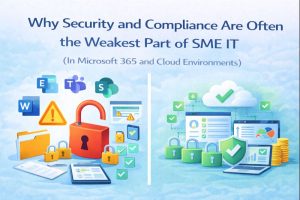
Many small and medium-sized businesses rely heavily on Microsoft 365 and cloud platforms to run their day-to-day operations. Email, documents, collaboration, and file storage now live almost entirely in the cloud. Because Microsoft provides a secure platform by default, there is often an assumption that security and compliance are “taken care of.”
In practice, this assumption is one of the biggest risks facing SMEs today.
Microsoft 365 is secure by design — but how it is configured, used, and managed determines whether it is actually secure and compliant for your business.
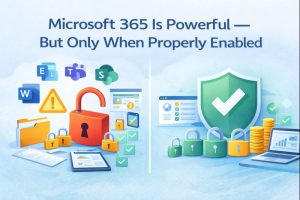
Microsoft 365 includes a wide range of security and compliance capabilities, many of which are already included in standard SME licences. However, these features are often left partially configured or unused.
Common examples include:
-
- Multi-factor authentication enabled for some users but not all
-
- SharePoint and OneDrive used without proper access controls
-
- Teams allowing external sharing with little visibility
-
- Devices accessing company data without consistent security policies
-
- Security alerts generated but never actively monitored
When these capabilities are not fully enabled or aligned, businesses unknowingly increase their risk while still paying for the platform.
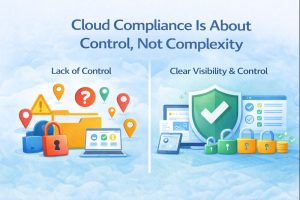
Compliance in Microsoft 365 is not about adding layers of bureaucracy. It’s about maintaining control and visibility over business data.
For SMEs, this typically means:
-
- Knowing where company data is stored
-
- Controlling who can access it and from where
-
- Ensuring data is protected on laptops, mobiles, and remote devices
-
- Being able to demonstrate reasonable security measures if required
Without structured configuration and oversight, compliance becomes reactive — addressed only when a problem arises.
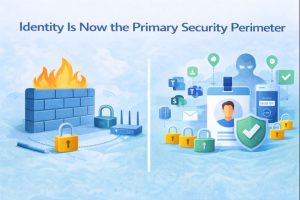
In traditional IT setups, security focused on office networks and firewalls. In cloud environments, user identity is the new perimeter.
This makes Microsoft Entra ID (Azure AD) and account management critical.
Common risks we see include:
-
- Shared or over-privileged accounts
-
- Former staff retaining access
-
- Weak or inconsistent sign-in policies
-
- No visibility into risky sign-ins or compromised credentials
Without proper identity governance, even the best security tools can be bypassed.

Microsoft 365 is designed to support flexible and remote working — but this flexibility must be managed correctly.
In many SMEs:
-
- Personal devices access business data
-
- Lost or replaced laptops are not properly removed
-
- Security settings differ from device to device
-
- There is no clear process for joiners, movers, and leavers
This creates blind spots that directly affect both security and compliance, especially where customer or employee data is involved.
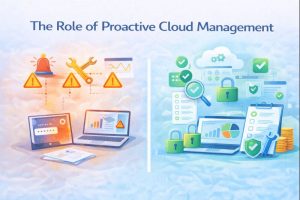
Security and compliance in Microsoft 365 are not “set and forget.” They require ongoing review, optimisation, and alignment with how the business evolves.
A proactive cloud management approach typically includes:
-
- Regular review of user access and permissions
-
- Consistent device security and data protection policies
-
- Monitoring of security alerts and sign-in activity
-
- Ongoing licence and feature optimisation
-
- Clear documentation and accountability
This doesn’t mean more complexity — it means fewer surprises, fewer incidents, and better control over risk.
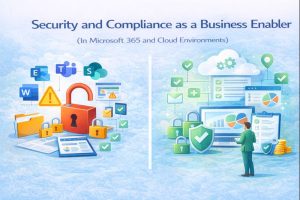
When Microsoft 365 is properly configured and managed, security and compliance become an enabler rather than a concern. Staff can work flexibly and efficiently, data remains protected, and leadership gains confidence that risks are being managed responsibly.
For most SMEs, the challenge isn’t the cloud platform itself — it’s ensuring that the platform is used correctly, consistently, and with intent.
If your Microsoft 365 environment hasn’t been reviewed recently, there’s a strong chance that security and compliance gaps exist — even if everything appears to be working fine.
Addressing these gaps early is one of the most effective ways to reduce risk, control costs, and future-proof your IT environment.